

Show what you shipped.
Showship reads your commits, pull requests, code reviews and tasks, then builds the progress deck your manager, client or CTO can follow. Weekly, per sprint, monthly or for any date range.
npx showshipAn agent skill for Claude Code and Antigravity, plus Codex (experimental). Needs Node.js 18 or newer, git and the GitHub CLI. Beta release. Download the example deck (1.2 MB).
Demo, 30 seconds
Watch a week of work become a deck.
The walkthrough starts with the raw material, then shows what Showship reads and what it builds from it.
- Every week, someone has to explain all of this.
- It reads your week: git commits, pull requests and reviews, and your task tracker.
- It builds the deck: an editable PowerPoint with progress, owners, blockers and next steps.
One deck answers the six questions every audience asks.
Business readers get plain language, with technical terms only in brackets when they add something. Engineers get the technical version. Either way, every item says what changed for users or for the business.
What are we working on?
Projects and features, one card each on the executive summary.
What has been delivered?
Done, released, approved and merged, in the words the business uses.
How far along is it?
Percent and phases for each track. A footnote says how the percentage was counted.
Who is doing what?
Owners per track, and a task track per person from your task tracker.
What is blocked, and what do you need from us?
Blockers and risks, plus the decisions you need, each with an owner or its options.
What happens next?
Next week, sprint or month: owner, focus and status.
Collect in each repo. Build once.
The set of repos changes from period to period, so the work is split in two. Run collect inside every repo that had work, then run build once from anywhere.
Collect
Reads commits on all branches and every pull request with activity: descriptions, reviews and comments in order. Bots are filtered out.
Writes a plain-language draft per repo.
Add context
Pulls tasks from your tracker, and asks one question for what GitHub cannot tell it: a percentage, a blocker outside the code.
Your answers go into notes.md.
Build
Merges the drafts and notes into report.json, runs the plain-language check, and writes the .pptx.
Edits are changes to the JSON, then a rebuild.
Check
Renders every slide and flags text that crosses the margins or collides with other text.
Needs LibreOffice. Without it, the agent says the deck was not rendered.
You talk, the agent works.
Ask in your own language. The deck is written in the language you configure. Showship never invents numbers, owners or dates: they come from your data or from you.
# run inside each repo that had work this week
Collect this week's commits and PRs for the report

# once, after the last repo
Build the report
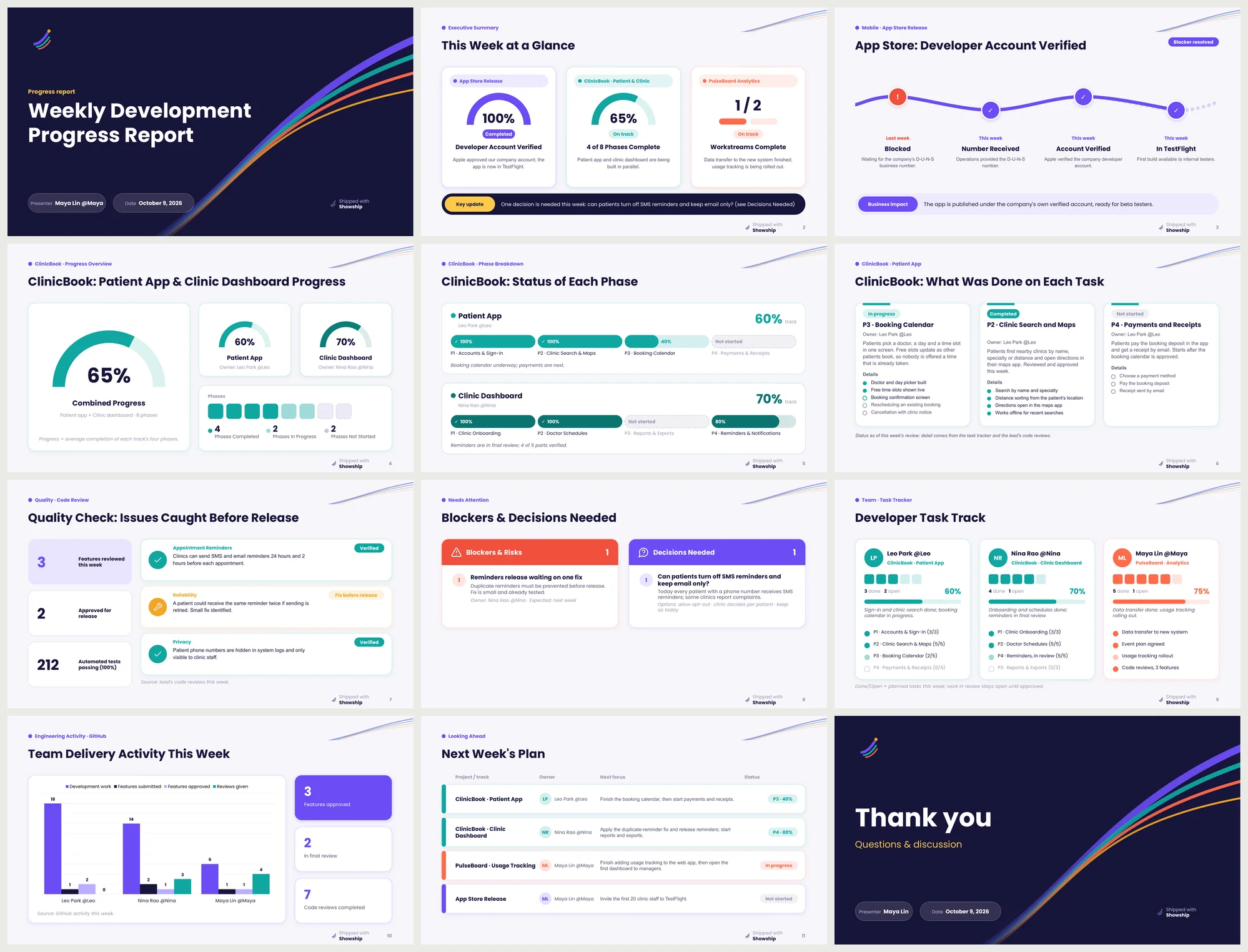
Thirteen layouts, picked to fit your data.
Consecutive slides never reuse a layout, charts appear where there are real numbers, and every layout renders in all seven designs.
- dashboard
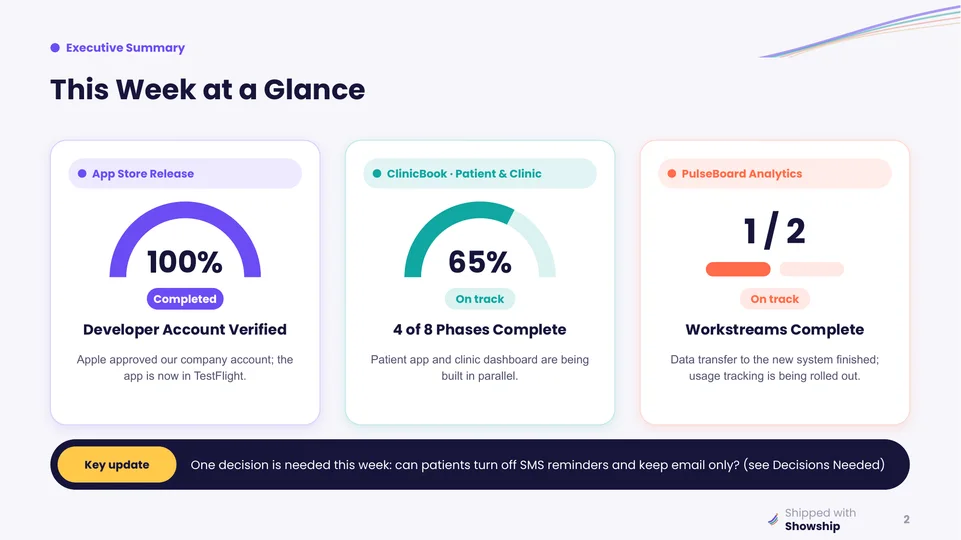
- Executive summary: one card per project, plus a key update.
- timeline
- Milestones, or a blocker that was resolved.
- rings
- Doughnut charts for overall progress, with status tiles.
- phase_bars
- Phase-by-phase completion per track, with owners.
- workstreams
- A finished item beside a process flow.
- rows
- Icon rows with a generated illustration or a screenshot.
- gallery
- A strip of UI screenshots with step labels.
- activity
- Team delivery activity from GitHub, as a chart.
- review_insights
- What code review verified and caught before release.
- attention
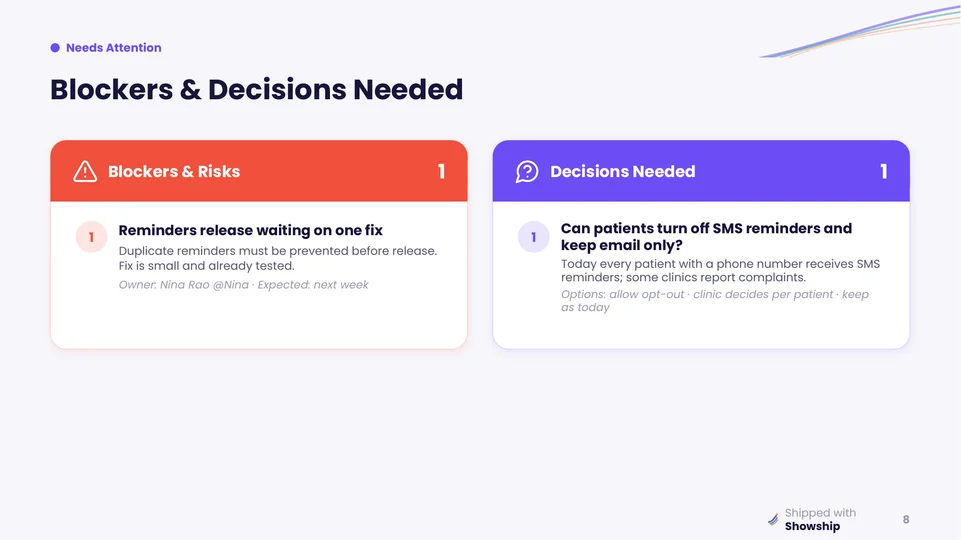
- Blockers and risks, and the decisions needed from the business.
- task_detail
- Tasks written out in full: purpose, what was done, each step with its state.
- tracker
- Developer task track, from your task tracker and reviews.
- table
- Next period's plan with owners and status.
Seven designs, one report.
Choose a design once in the installer or in config.json, or per report. The same report.json renders in all seven, and your brand colours can override a design's palette.
Showship
The signature design. Every project gets its own colour, carried from the dashboard to the task tracker and the next-steps table. Gauges, pill-track phases and ship-trail ribbons on the title slides.

Paper
Set like a printed annual report. Paper background, navy ink, rules instead of cards, one big figure leading every slide. Coral red is kept for risks only.

Classic
Black and white editorial: serif headings, hairline rules, no boxes, one deep green accent.

See all seven designsShowship, Paper and Classic are above. Ember, Modern, Corporate and Vivid are on the designs page.
Team leads reporting up. Individuals reporting their own work.
Two settings, role and audience, decide whose work is collected and how technical the deck may be. The installer asks for them, and you can change them in config.json at any time.
| You are | Set | You get |
|---|---|---|
| Team lead reporting to business or management | role: leadaudience: business | The whole team's progress in plain language: owners, percentages, blockers, decisions needed, what is next. |
| Team lead reporting to a CTO or engineering org | role: leadaudience: engineering | The same, with technical detail kept: architecture, test status, review findings. |
| Developer reporting to a tech lead or manager | role: memberaudience: engineering | Only your commits, the PRs you wrote or reviewed, and your tasks. |
| Freelancer or contractor reporting to a client | role: memberaudience: business | A client-ready update of your work, in their language, with your logo. |
| Solo founder updating investors or a co-founder | role: memberaudience: business | A short progress deck built from your repos. |
Tasks come from the tracker you already use.
Jira Cloud, Linear, Asana, ClickUp and Lark are built in. Any other tool works through an MCP server, read-only.
Your data stays on your machine.
There is no Showship server and no account. Commits, PRs and tasks are read locally, and tracker tokens stay in environment variables.
Run one command, then answer a few questions.
npx showshipThe installer copies the skill into your agent's skills folder, records your role, audience, reporting rhythm, task tracker and deck design in config.json, installs the deck builder, and checks for git, gh and LibreOffice.
- Node.js 18 or newer, and git
- The GitHub CLI, signed in with
gh auth login - LibreOffice, optional: lets the agent render slides and check the layout
Showship is in beta. Slide templates, config keys and installer options may change between releases, and the Codex install has seen less testing.
Where the skill is installed
| Agent | Global folder | Project folder |
|---|---|---|
| Claude Code | ~/ | ./ |
| Codex (experimental) | ~/ | ./ |
| Antigravity | ~/ | ./ |
| Other agents (experimental) | ~/ | ./ |
Updating is the same command with @latest. Your config.json is kept, and the previous skill files are backed up first.